
Dressmaker Wiki · Commission · Build 410
Commission Requirements
Every commission combines a brief, budget, and visible tag targets. Treat those targets as the final checklist rather than choosing materials by color alone.
Short answer. Open the sketchbook after accepting a commission, read every required tag and its target, then preview dress pieces, fabric swatches, and accessories before cutting cloth.
01 / Player workflow
How it works and what to do
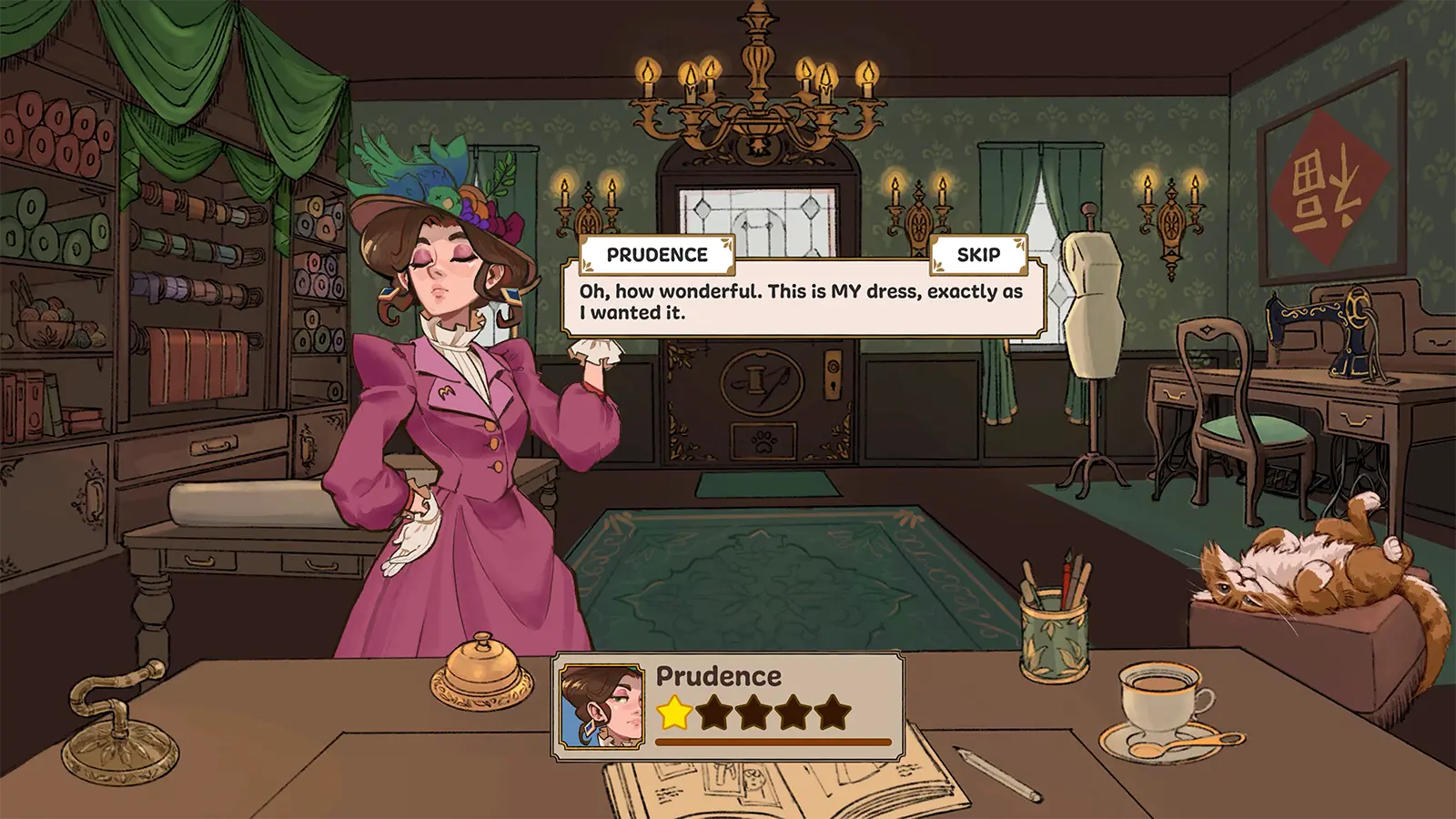
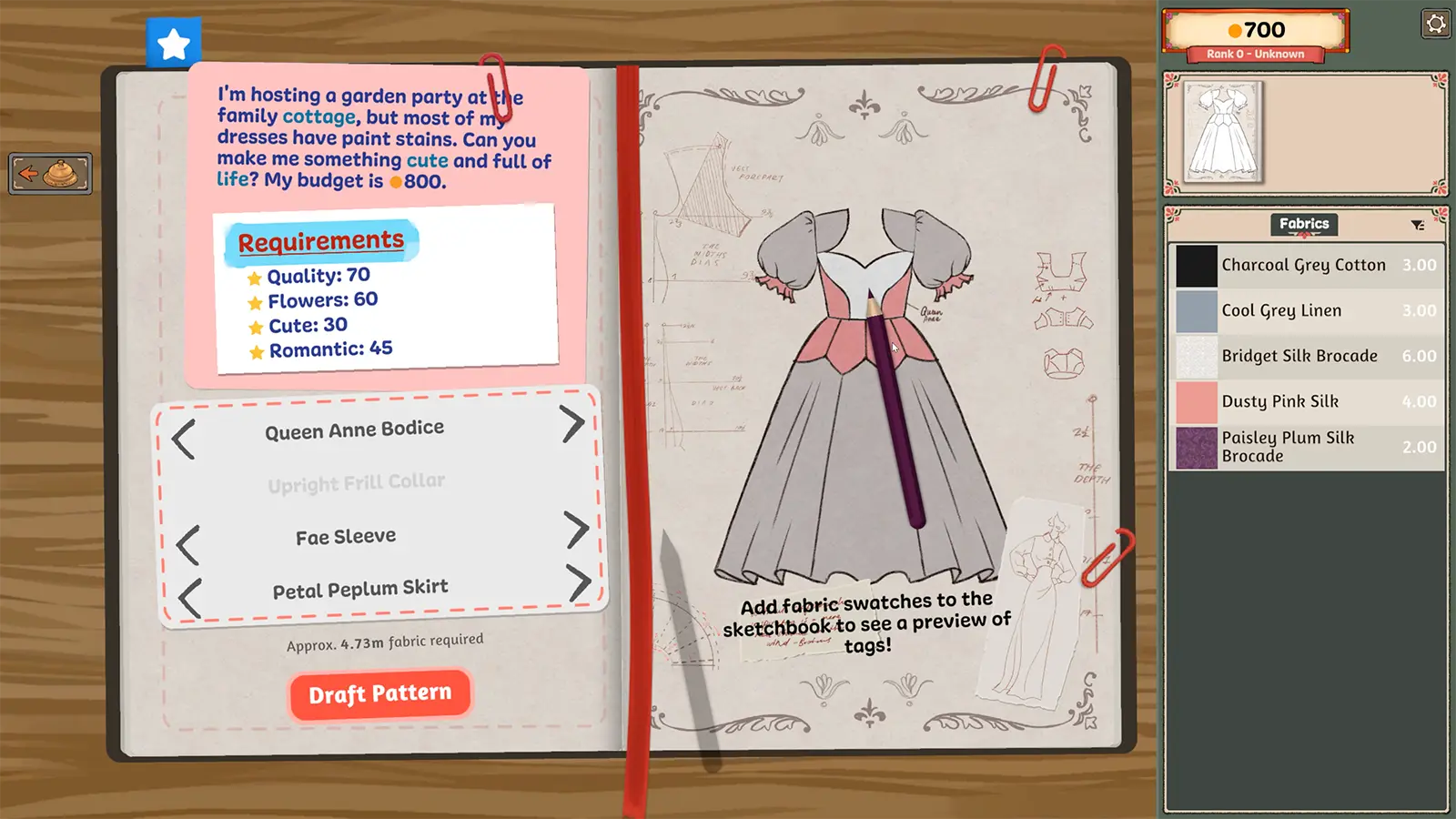
The current request appears on the sketchbook paper. The right side shows the dress progress and tag totals. The customer card near the desk identifies the current client and budget.
02 / Requirements
Before you start
- 01
Accept the customer at the shop bell.
- 02
Read the event, budget, and every numbered tag target.
- 03
Choose a silhouette and fabric combination that can reach those targets.
03 / Core facts
At a glance
- Main input
- Event, budget, and tag targets
- Planning surface
- Sketchbook
- Check before cutting
- Projected tag totals
- Completion signal
- Every visible target reaches its bar
04 / Field notes
Details that change the route
A garment can satisfy a request without matching the customer personality; the visible tag targets are the reliable completion check.
Requirement lines can ask for a minimum tag score, a maximum score, a quality minimum, a color or fabric share, an accessory count, or a measured trim length. Each one needs a different fix.
The screenshot examples show three to four scored tags, but later requests can use different combinations.
If a design conflicts with one requirement, fix that requirement before adding optional decoration.
05 / Continue
Related entities and guides
Sketchbook
The sketchbook is the commission planning screen: choose garment pieces, preview material tags, compare the design against the request, and draft the pattern.
Open player answer ->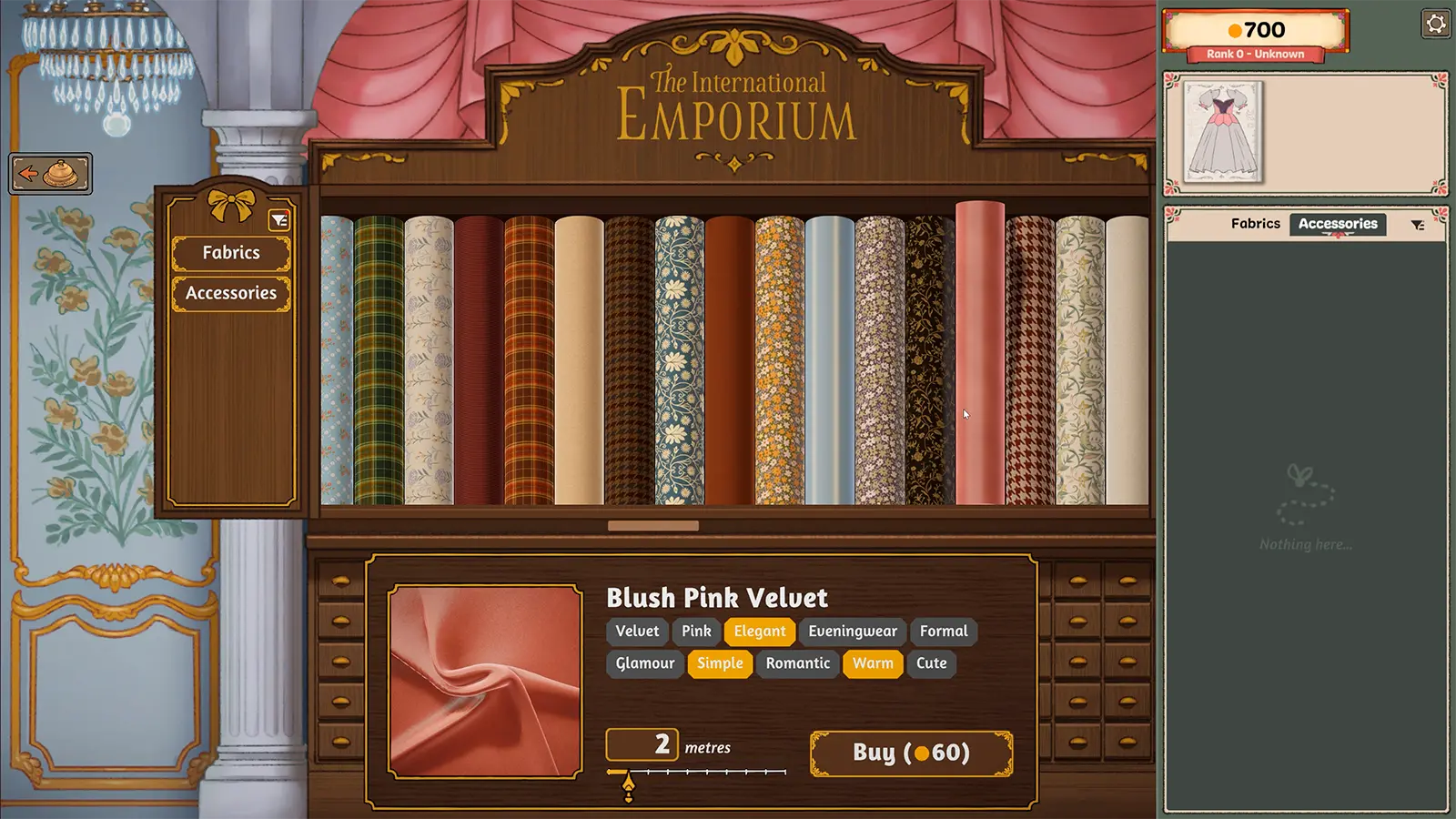
Fabric Shop
Fabrics carry visible style tags, prices, and visual finishes. The shop is a scoring and budget decision, not just a color palette.
Open player answer ->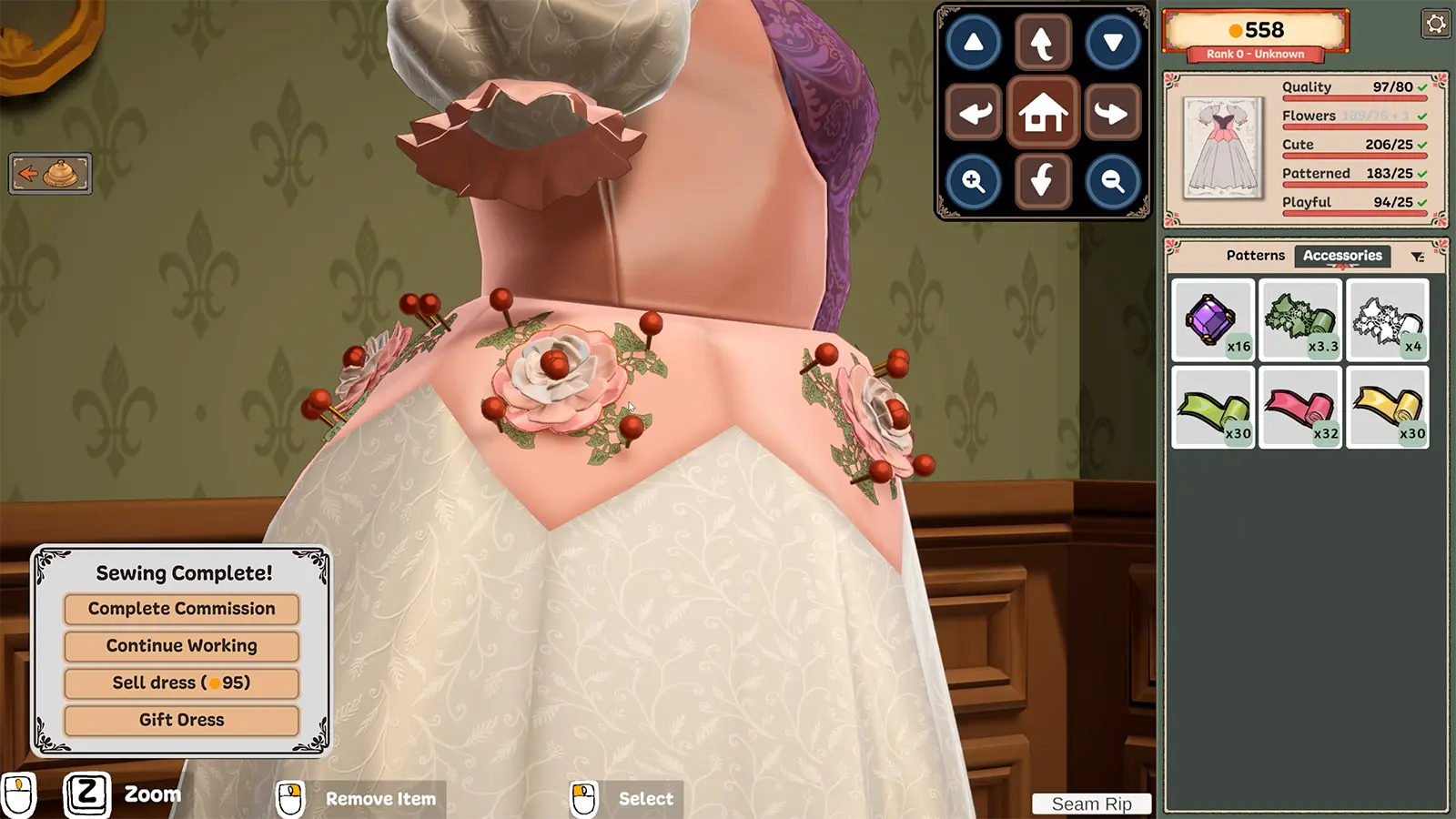
Quality Score
Quality is a scored requirement shown beside the style tags. Style tags prove the requested aesthetic; quality tracks how cleanly the garment was built.
Open player answer ->